- Home
>
- Applications
>
- Battery Graph
You must be registered and logged in to have a favorite application.
LOGIN
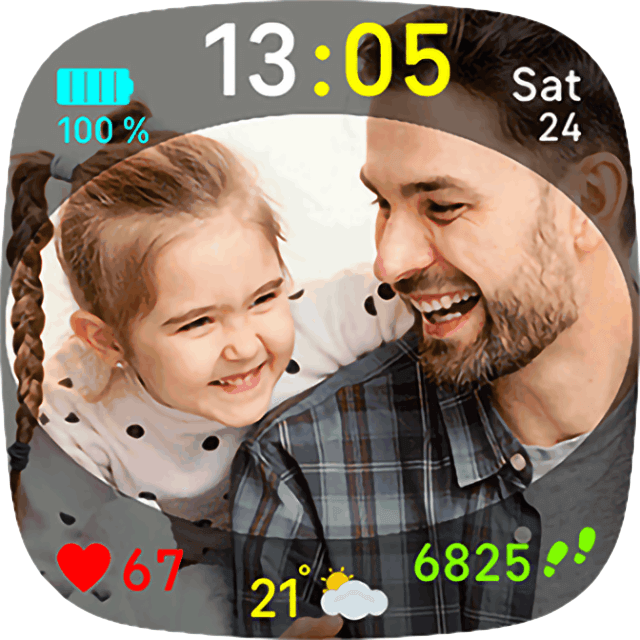
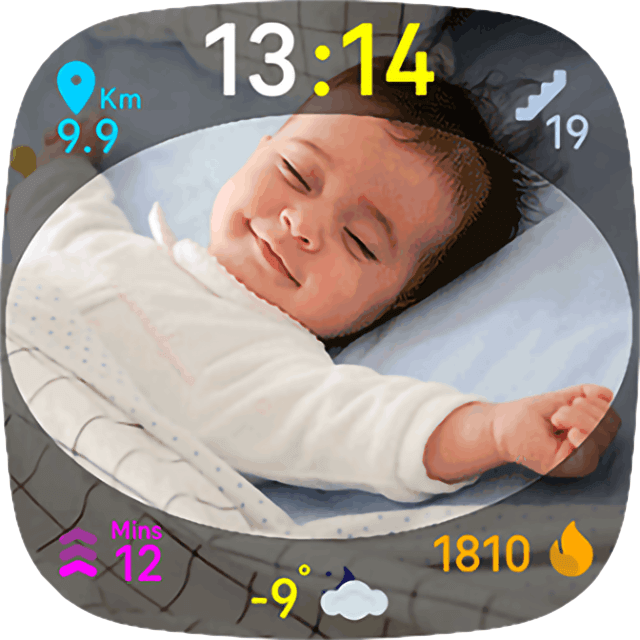
- 02 backgrounds that you can change as much as you want with your family photos.
- 08 types of general statistics (steps, distance, floors, active minutes, calories, battery level, date and heart rate) divided into two screens.
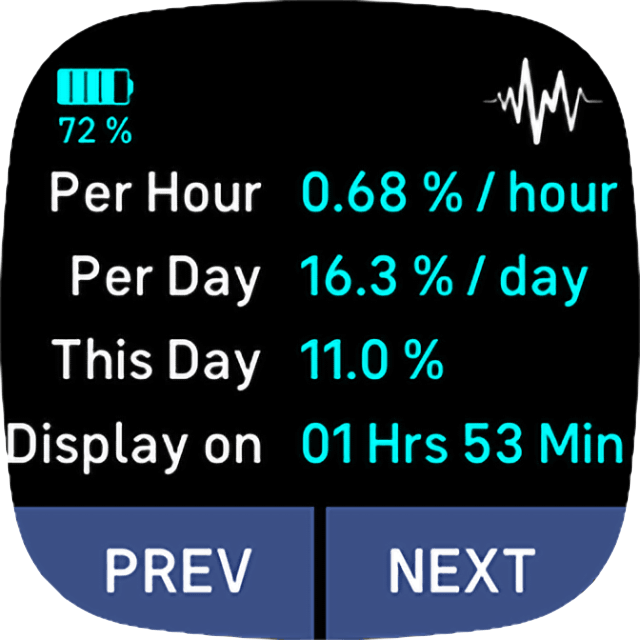
- 06 types of special statistics for the battery (Last charge, Estimated Next charge, Consumption per Hour, Estimated Consumption per Day, Total Consumption in the current day, and the time of Display-On for the current day).
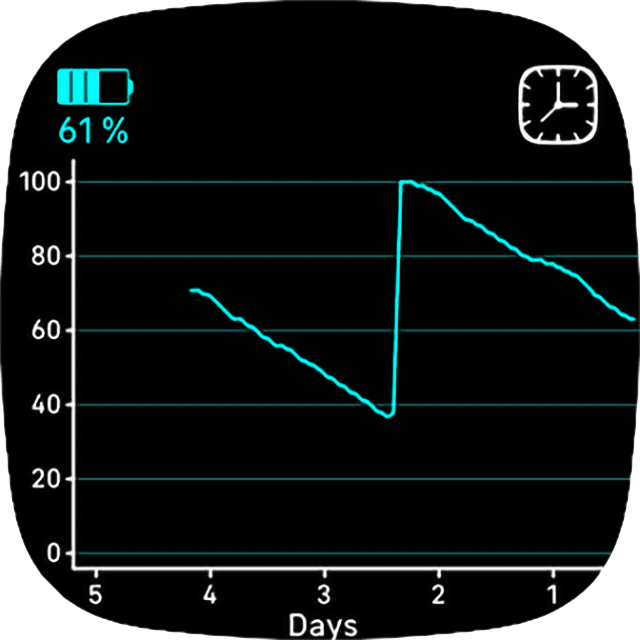
- 03 graphs for the battery level (per Hours, per Days and per Weeks).
- The option of keep running on display off (to keep the continuous battery graphs recording), enabled by default.
- Weather conditions in your city updated every 30 minutes, and automatic detection of any new location.
- Vibration effect, enabled by default.
- Auto detection of units preferences and clock display.
- Auto memorization of your preferences even after restarting the device.
- IMPORTANT: The special statistics for the battery can be misleading at first sight; it takes two hours to be displayed and takes 24 hours to be correctly calibrated.
INSTRUCTIONS:
- Just tap to navigate between the different uploaded photos and statistics.
- You can change the photos by going to the (My Facewatchs) section in the Fitbit app, then select the settings from Battery Graph facewatch.
- You can click the Battery icon to show the specific stats and the graphs.
- You can click in the middle of the Graph to change the units (Hours, Days or Weeks).
- You can click the Weather icon to update the weather conditions manually (please do not use this option too often to not saturate the server).
- You don't need to activate the GPS on your mobile, the weather option uses the GPS of your watch.
"Battery Graph" costs $ 1.45 (Lifetime purchase) after the 24 hour trial period has ended.
Payment by K-Pay (PayPal or Debit/Credit cards) go to https://kzl.io/code and add the code you see on your watch. If already purchased, go here https://kzl.io/unlock
The backgrounds in the screenshots are from freepik.com.
We use OpenWeather (TM) as a weather data provider.
Tags: battery, graphs, family, photo, background, weather, city, professional, animated, animation, real time, statistic, battery, graph, heart, steps, distance, floor, calorie, best, pro, cool, simple, digital.
© 2026 DesignArt, All rights reserved.










LEAVE A REPLAY
Your email address will not be published. Required fields are marked *